 بغداد سكربت للحلول البرمجية - خدمة OTP
WooCommerce phone verification plugin
Most of your orders are cash on delivery, and every fake number is a courier driving out and back with the cost coming out of your pocket. This plugin makes the customer verify their number with a WhatsApp code before the order goes through, so fake numbers stop at the door.
What the customer sees
The box appears under the billing fields at checkout with a single button. The customer never leaves the page.
1. Ask for the code
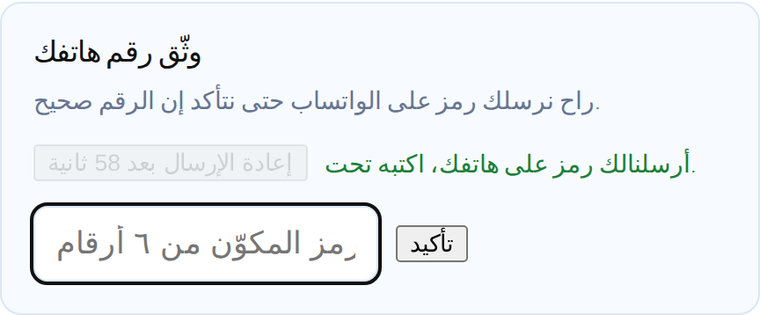
The code arrives on WhatsApp in seconds and the button becomes a 60 second countdown.
2. Verified
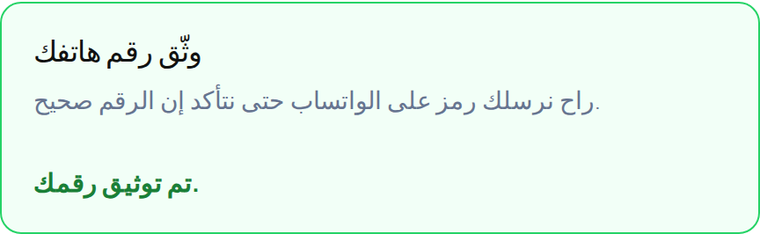
The box turns green and the order button works. Before that the order is refused.
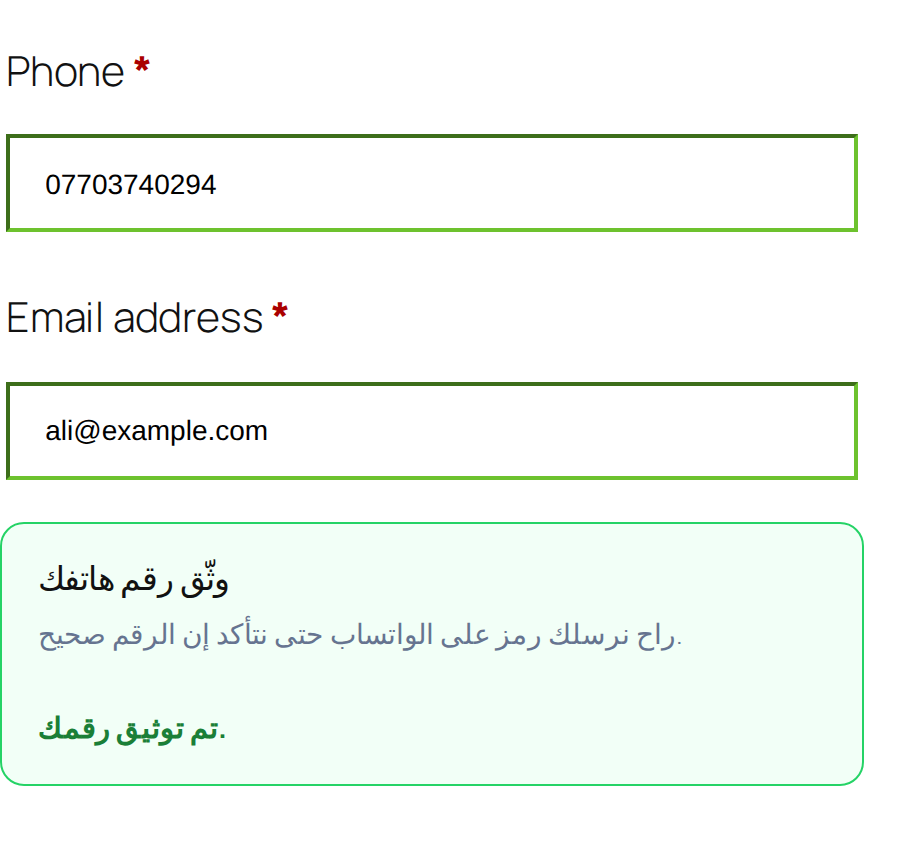
The box inside a real checkout page
Nobody gets around it
Most verification plugins keep the verified state in the browser, and one line in developer tools gets around it. Here the state lives in the WooCommerce session on the server and the check runs at the moment the order is submitted.
- Faking the state in the browser: tested, the order was refused.
- Verifying one number then swapping in another: tested, refused, because the check compares the submitted number against the verified one.
- Draining your balance: there is a per visitor hourly cap on codes, which you control in the settings.
Five minute setup
Download and upload
In WordPress go to Plugins, Add New, Upload Plugin, pick the zip file, then activate.
Get an API key
Create a free account and generate a key in one click. You get 10 free messages with no card.
Paste the key
Settings, Iraq Phone OTP, paste the key and save. A test button sends a code to your own number.
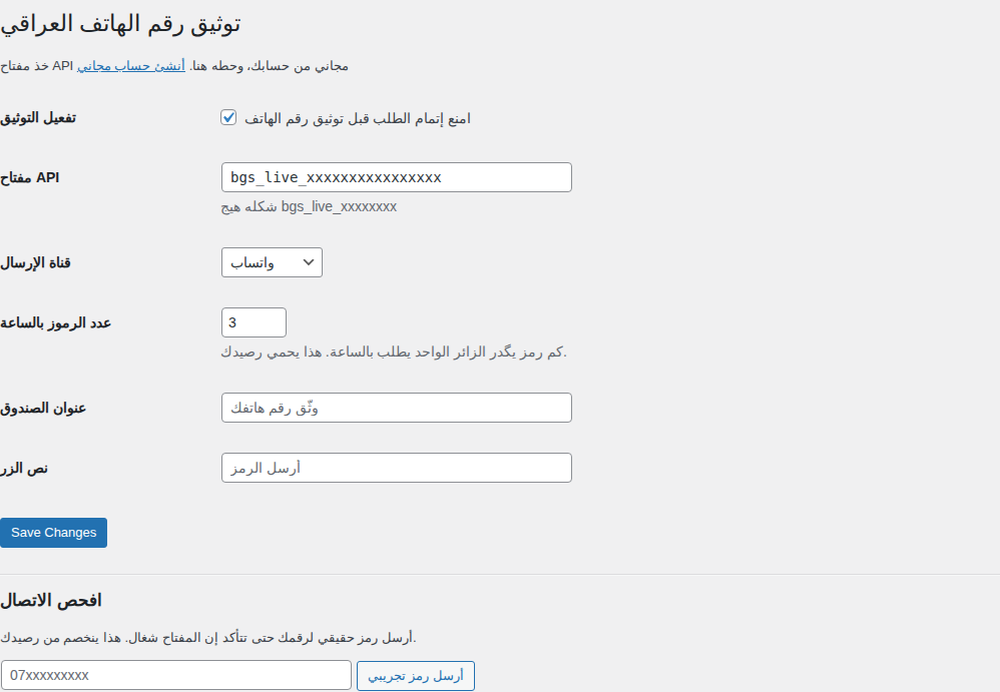
The settings page
In your store dashboard
A new column in the orders list shows a green tick for every order with a verified number, so you can tell at a glance which orders to trust.

Requirements
| Item | Minimum |
|---|---|
| WordPress | 6.0 |
| WooCommerce | 7.0 |
| PHP | 7.4 |
| An account with us | Free |
Common questions
What does the plugin do?
It adds a verification box to your WooCommerce checkout. The customer clicks a button, gets a code on WhatsApp, enters it, and only then can place the order. Orders with an unverified number are refused.
Why do I need it?
Most orders in Iraq are cash on delivery. A fake number means a courier drives out and back and the delivery cost comes out of your pocket. Verification removes that cost at the source.
Can a customer bypass it?
No. The check runs on the server, not in the browser. Editing the page with developer tools or posting the form directly is refused. Verifying one number and then typing another is refused too.
What does it cost?
The plugin is free. You pay for messages, 13 IQD each, and only for messages that are delivered. Signing up gives you 10 free messages to try it.
What do I need to run it?
WordPress with WooCommerce, and a free account with us for an API key. Setup takes under five minutes.
Does it work with the checkout block?
The protection works either way, the order is refused on the server when the phone is not verified. The visible box renders on the classic checkout, so switch your checkout page to the shortcode if you use the block.
Non Iraqi numbers?
Iraqi mobile numbers in the 07xxxxxxxxx form for now. It also accepts +964 and 00964 and converts them.
Which languages?
Arabic and English. It follows your store language automatically and is right to left ready.
Try it on your store
The plugin is free, and you get 10 free WhatsApp messages on signup to try it without paying anything.
Download the plugin Sign up